

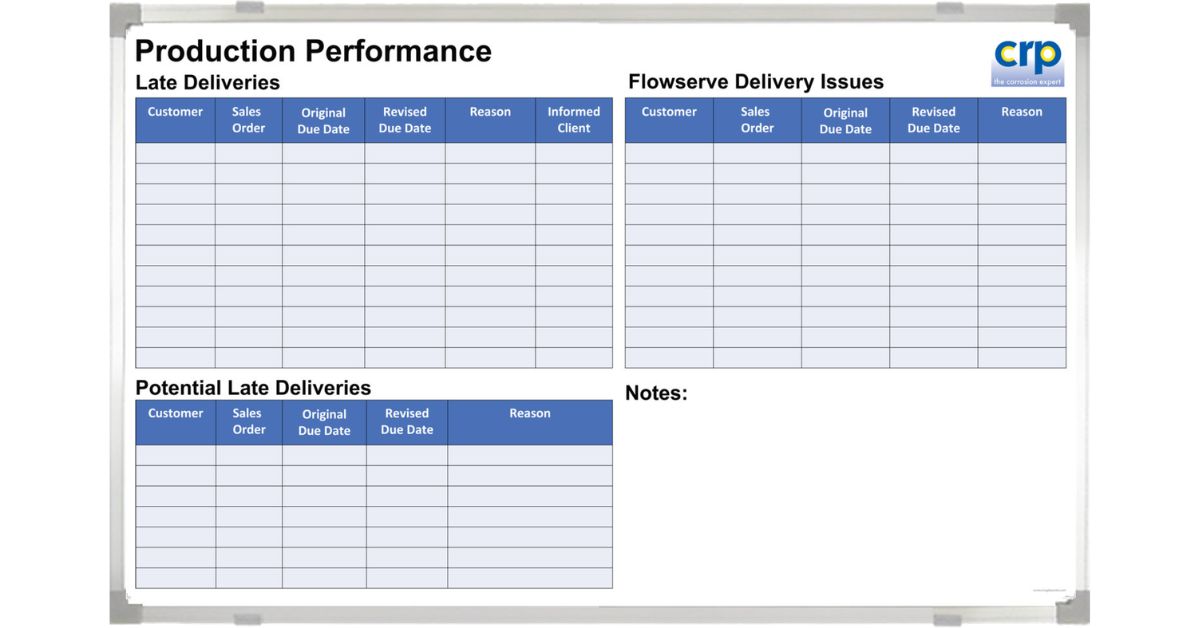
Downtime has a way of spreading while disrupting entire projects. One machine goes down, and suddenly the schedule, labor plan, and customer commitments feel shaky. When that happens, most teams don’t need another app notification; they need shared clarity in the work area, right now. That’s exactly why having whiteboards for managing equipment downtime can be such a practical, low-friction tool for keeping everyone aligned when minutes matter.
Why a Visual Downtime System Works
When equipment stops, communication usually becomes the bottleneck. People ask the same questions in different places: What failed? Who owns it? What’s the ETA? And what can we run instead? A central board answers those questions quickly and visibly.
A whiteboard also keeps the conversation grounded in the actual flow of work. You can stand with maintenance, operations, and supervisors in front of the same information and quickly decide the next steps.
Downtime Management Is a Team Sport
Downtime rarely belongs to a single department. Maintenance needs details, operations need timing, and leadership needs impact. A board helps you coordinate without turning every update into a meeting.
You’ll also notice fewer handoff gaps. When the board shows who owns the next action, it’s harder for tasks to fall into the “someone’s working on it” void.
The Board Becomes a Shared Memory
In the middle of a busy shift, people forget what was said two hours ago. A whiteboard doesn’t. It holds the current status, the last update time, and the decision trail in plain view.
That matters when shifts change, when a different tech picks up the ticket, or when leadership asks why output dipped. Your board gives a clean narrative without digging through messages or spreadsheets.
What to Put on a Downtime Whiteboard
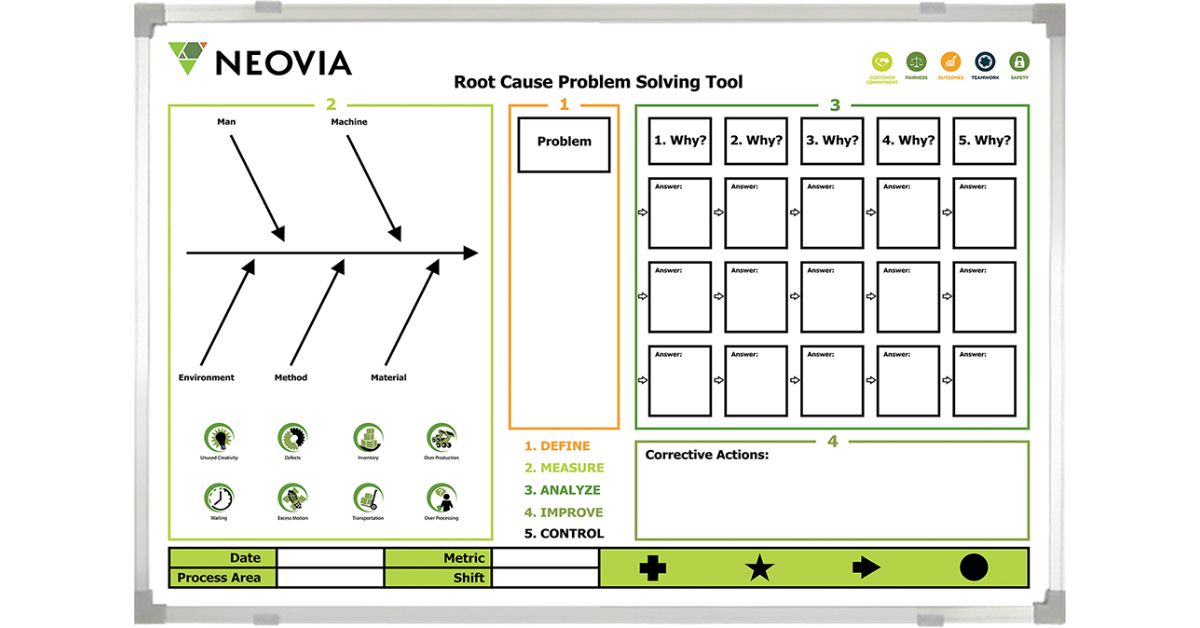
The best downtime board layouts make the “next right action” obvious. If someone walks up cold, they should understand what’s happening in under a minute. Start with the essentials, then add details that remove friction.
A custom printed format helps here because it keeps the same fields in the same places every day. Instead of people inventing their own shorthand, everyone writes updates the same way.
Core Fields That Prevent Confusion
You’ll want a clear space for the asset or line name, the downtime start time, and the current status. Add a short problem description that stays specific, like “bearing noise” or “sensor fault,” rather than “machine issue.” Then include an “assigned to” field and a timestamp for the most recent update, so teams can tell whether the information is up to date.
Impact and Prioritization That Match Reality
Some assets cause bigger problems when they stop. Consider a simple priority indicator tied to production impact, patient throughput, or service level commitments, depending on your environment.
In a hospital setting, for example, you might track whether the equipment affects patient flow, diagnostics, or sterilization turnaround. In manufacturing, you might show whether the stoppage blocks a bottleneck operation or a high-volume SKU.
Parts and Constraints That Delay Repairs
A huge chunk of downtime comes from waiting: waiting on parts, waiting on approvals, waiting on access. Make those blockers visible. When a board includes a “parts needed” and “constraint” area, you surface the real reason the clock keeps ticking.
That visibility also helps leaders remove obstacles faster. If they can see “awaiting PO approval” or “vendor lead time,” they can act without another round of back-and-forth.
How to Set Up the Board
A downtime board only works if it lives where the work happens. Place it near the line, maintenance shop entrance, control room, or another natural gathering point. If you hide it in an office, it becomes a recordkeeping tool rather than a coordination tool.
Size matters too! If multiple people update the board, you want enough space for clear writing without crowding. If teams huddle around it, you want it readable from a few steps back.
Make Updates Fast, Not Perfect
The board should encourage frequent, quick updates. If writing an update feels complicated, people tend to stop doing it. Keep the fields simple and let the board hold the “headline truth” while your CMMS or ticketing system holds the deep details.
You can also create a rhythm: update at the top of the hour, at shift change, and whenever the status changes. The key here is consistency.
Standardize the Process
One of the biggest advantages of a custom printed whiteboard is that it locks in your best process. Instead of hoping the board stays organized, you build structure into the surface itself. That makes training easier, audits cleaner, and daily use more reliable.
You also get to tailor the layout to your downtime reality. A packaging line and an imaging suite don’t share the same constraints, and they shouldn’t be forced to use the same template. When the board matches how your team thinks, team members are more likely to use it.
Make the Board Easier to Maintain
Printed sections reduce messy redraws and keep the board legible. That may sound small, but it’s a real advantage in high-traffic environments where boards are constantly updated.
A consistent layout also supports better metrics. When fields stay consistent, you can capture repeat issues, common parts shortages, and response times more reliably during your reviews.
Turning Downtime Into Continuous Improvement
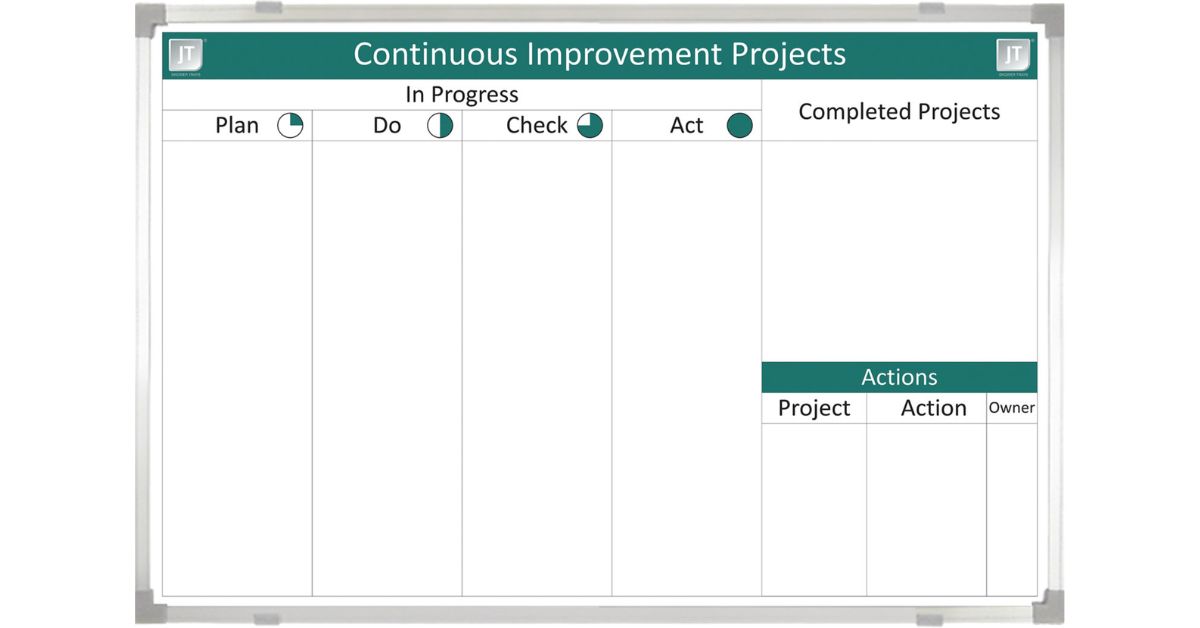
Once your downtime board runs well, it becomes more than a status tracker. It becomes a learning tool. You start to see patterns: repeat failures, chronic part shortages, assets that break at certain load levels, or delays that happen at the same step.
During weekly reviews, the board helps you separate “we had a lot of downtime” from “here’s why it happened.” That’s where meaningful improvement begins.
A custom-printed approach supports this because the fields remain the same over time. When the board stays consistent, your observations become comparable, and your fixes become easier to validate.
Bring Order to Downtime
Downtime doesn’t shrink just because you track it in more places. It shrinks when people can see the same facts, agree on priorities, and move the next action forward without friction. If you want a practical starting point, using whiteboards for managing equipment downtime gives your team a shared, visible system that supports faster updates, cleaner handoffs, and better follow-through.
Magiboards USA offers fully-customizable visual management boards that help you stay calm and coordinated when equipment goes down. Instead of chasing updates across texts and conversations, you can keep the right details in one clear place that the whole team can trust. If you’re ready to turn downtime tracking into a practical daily routine, Magiboards USA can help you design a board that fits your equipment, your process, and your environment. Give us a call today!