

A blank whiteboard can be either an exciting canvas of possibilities or a daunting empty space. Knowing where to start is key to turning it into a powerful tool for communication and collaboration. Following our tips for designing an effective whiteboard layout will help you transform your board into a dynamic resource for any professional setting.
An organized whiteboard improves clarity, boosts engagement, and streamlines workflow, making every meeting and presentation more productive.
What Is a Whiteboard Layout?
A whiteboard layout is the structured organization of information on your board. Instead of a random collection of notes and diagrams, a well-designed layout uses specific zones, headings, and visual cues to guide the viewer’s attention. Think of it as a blueprint for your ideas. You can create a structured space for brainstorming sessions, project management tracking, or patient information updates.
This structure helps everyone understand the information presented and how different pieces of data relate to one another. The goal is to make the content easy to read, comprehend, and use. A logical flow prevents confusion and makes the whiteboard a more functional tool in any professional setting.
Benefits of an Effective Whiteboard Layout
A structured whiteboard layout is far more than just an aesthetic choice; it offers tangible benefits for any team or organization. One of the primary advantages is improved clarity and communication.
When information is organized logically, everyone can follow the conversation and understand the key takeaways. This reduces misunderstandings and keeps your team aligned on goals and action items.
Additionally, a good layout promotes engagement. People are more likely to participate when they can easily see how their ideas fit into the bigger picture. Designate areas for brainstorming, feedback, or next steps to increase collaboration and make team members feel like their input is valued.
This collaborative environment fosters creativity and problem-solving. A well-organized board also serves as a persistent visual reminder of priorities, tasks, and progress, keeping everyone focused and accountable.
Key Elements of a Great Whiteboard Layout
Creating a layout that works requires considering several key components. Each element plays a role in how your audience processes and understands information. By paying attention to these details, you can design a whiteboard that is both functional and visually appealing.
Define a Clear Objective
The first step in designing any layout is to determine its primary purpose. Are you brainstorming new ideas, tracking a project’s progress, outlining a workflow, or presenting data? The objective will dictate the structure.
A brainstorming session might need large, open spaces for free-form thinking, while a project management board will require columns for tasks, statuses, and deadlines. A clearly defined purpose helps you allocate space effectively and ensures the layout supports the intended activity. Without a specific goal, the board can quickly become cluttered and lose its effectiveness.
Create Zones and Sections
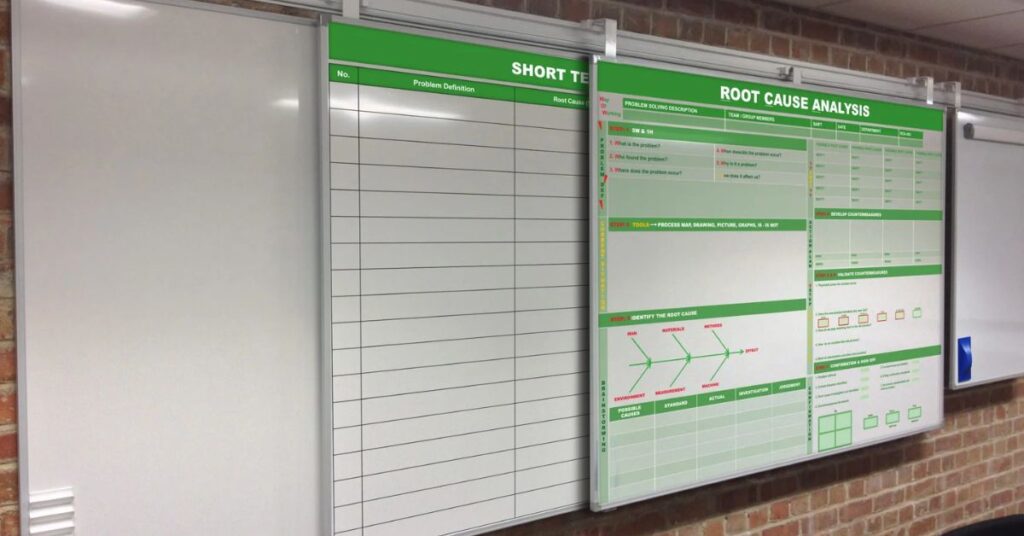
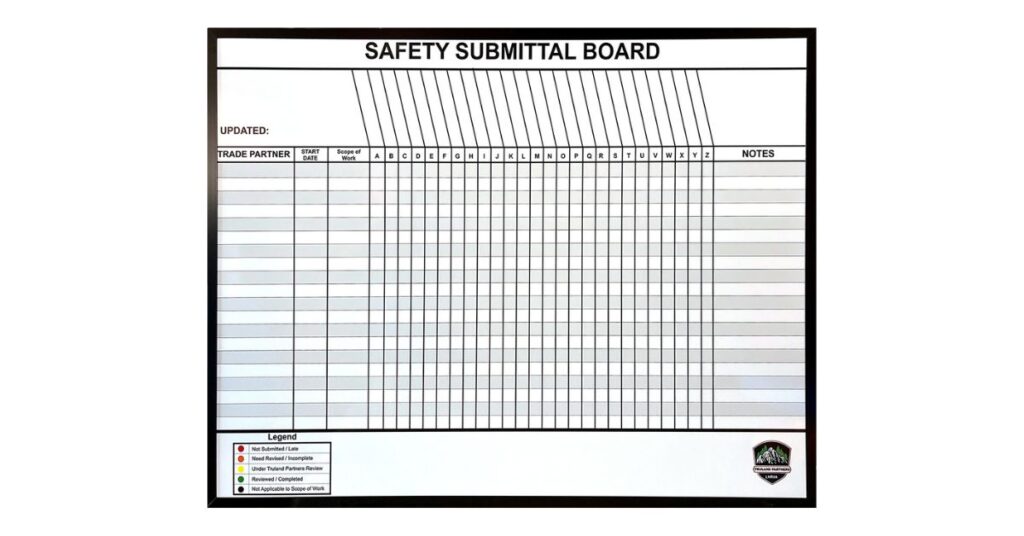
Dividing your whiteboard into distinct zones is crucial for organization. Use lines or grids to separate the board into logical sections. You could create zones for a Kanban-style workflow, helping track the progress of various tasks. In a hospital setting, you might have sections for patient information, staff assignments, and discharge plans.
These zones help compartmentalize information, making it easier for viewers to locate what they need. Clear headings for each section are also essential. Use bold, easy-to-read lettering to label each zone so its purpose is immediately clear to everyone.
Use Visual Cues
Visuals can communicate information more quickly and effectively than text alone. Incorporate colors, symbols, and simple drawings to enhance your layout. Use different-colored markers to categorize ideas or assign tasks to team members. Each icon or symbol can represent statuses, priorities, or task types.
For example, a star might indicate a high-priority item, while a question mark could indicate that something needs further discussion. These visual cues break up the monotony of text, making the board more engaging and easier to scan.
Prioritize Readability
A whiteboard is useless if no one can read what’s on it. Legibility should be a top priority. Write in clear, large print, and avoid using overly complicated fonts. Stick to simple, block lettering for maximum readability, especially from a distance.
Leave ample white space around text and between sections to prevent the board from looking cluttered. A crowded layout is difficult to read and can overwhelm others. Proper spacing gives your content room to breathe and helps the eye navigate the information smoothly.
Make It Interactive
The best whiteboard layouts invite participation! Design your board so that team members can easily add their own notes, ideas, and updates. Leave open spaces for brainstorming or feedback. You can even use sticky notes for ideas that can be moved around as the discussion evolves.
Magnetic accessories also add a layer of interactivity, allowing you to attach documents, charts, or other relevant materials to the board. An interactive layout transforms the whiteboard from a static display into a dynamic, collaborative tool that evolves as your team’s work progresses.
Custom Whiteboards for Specific Needs
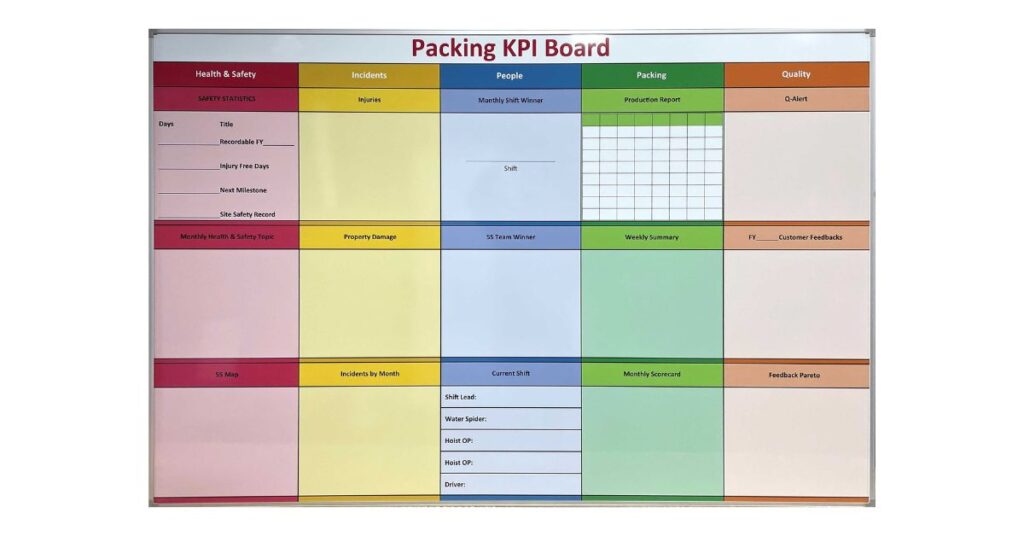
While these general tips are helpful for most whiteboards, some environments have highly specific needs that a generic layout can’t meet. Hospitals, manufacturing plants, and large retailers often require boards with permanent grids, charts, or logos to maintain consistency and efficiency. This is where custom-printed whiteboards become invaluable.
A custom whiteboard is designed and printed to your exact specifications. You can create a layout that perfectly matches your workflow, whether it’s a patient tracking board for a hospital ward, a production schedule for a factory floor, or a sales target chart for a retail team.
The permanent design means you never have to redraw grids or headings, saving time and eliminating inconsistencies. These boards are built to last, providing a durable and professional solution that standard whiteboards cannot match.
Find Your Perfect Communication Solution
By applying these tips for designing an effective whiteboard layout, you can create a communication hub that enhances collaboration and productivity in your organization. A well-thought-out design transforms a simple board into an indispensable tool.
Whether you need a simple wall-mounted dry-erase board for daily meetings or a fully customized board tailored to your unique processes, the right solution is available at Magiboards USA. Explore a range of high-quality whiteboards to find the perfect fit for your team and start communicating more effectively today!